 Android game
Hex Marbles
An offline, turn-based strategy game. Claim hexagonal tiles with marbles, grow them, and push your opponents off the board.
The game
Hex Marbles is played on a board of hexagonal tiles, against one or more computer players. Each turn your tiles grow and you earn credits. Spend them on buying marbles and moving them: claim neutral tiles, attack enemy tiles and marbles, and merge your own marbles into bigger ones.
You win when every opponent is gone, when you own 60 % of all tiles, or with the best score when the round limit is reached.
Four game types
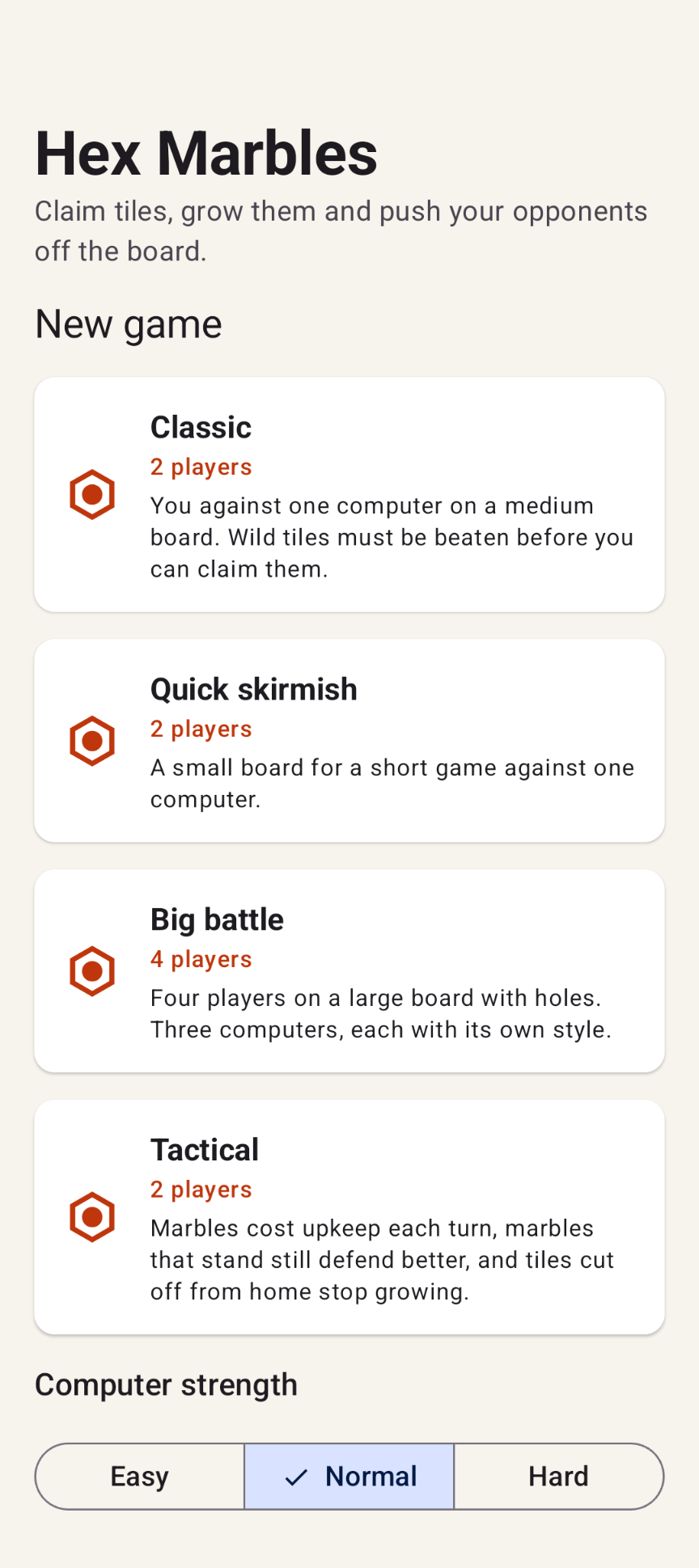
Classic
You against one computer on a medium board. Wild tiles must be beaten before you can claim them.
Quick skirmish
A small board for a short game against one computer.
Big battle
Four players on a large board with holes. Three computers, each with its own style.
Tactical
Marbles cost upkeep each turn, marbles that stand still defend better, and tiles cut off from home stop growing.
Highlights
- Three computer strengths: Easy, Normal and Hard
- Undo and redo for your buys and moves within your turn
- Live score of every player (tiles and credits) always visible
- Pinch to zoom, drag to pan and double tap to reset the view
- Rules balanced with thousands of computer-vs-computer games
- Built-in How to play guide
- Material 3 design with light and dark themes; adapts to phones, tablets and foldables, in portrait and landscape
Download
Hex Marbles is not available in the Google Play Store. You can download the APK directly below and install it manually.
By downloading you agree to the Privacy Statement & Disclaimer. Use is entirely at your own risk.
How to install an APK from outside the Play Store
- Tap the download button above and wait for hexmarbles.apk to finish downloading.
- Open the file (via your notification shade or the Files app).
- Android will ask permission to install unknown apps. Tap Settings and enable "Allow from this source" for your browser or file manager.
- Go back and tap Install.
- Open Hex Marbles when installation completes.
Installing apps from outside the Play Store is a normal Android feature. You can turn the "unknown sources" permission back off afterwards if you prefer.
How to play
1. Start a game
On the main menu, pick one of the four game types and set the computer strength (Easy, Normal or Hard). Continue game returns to the game in progress.
2. Your turn
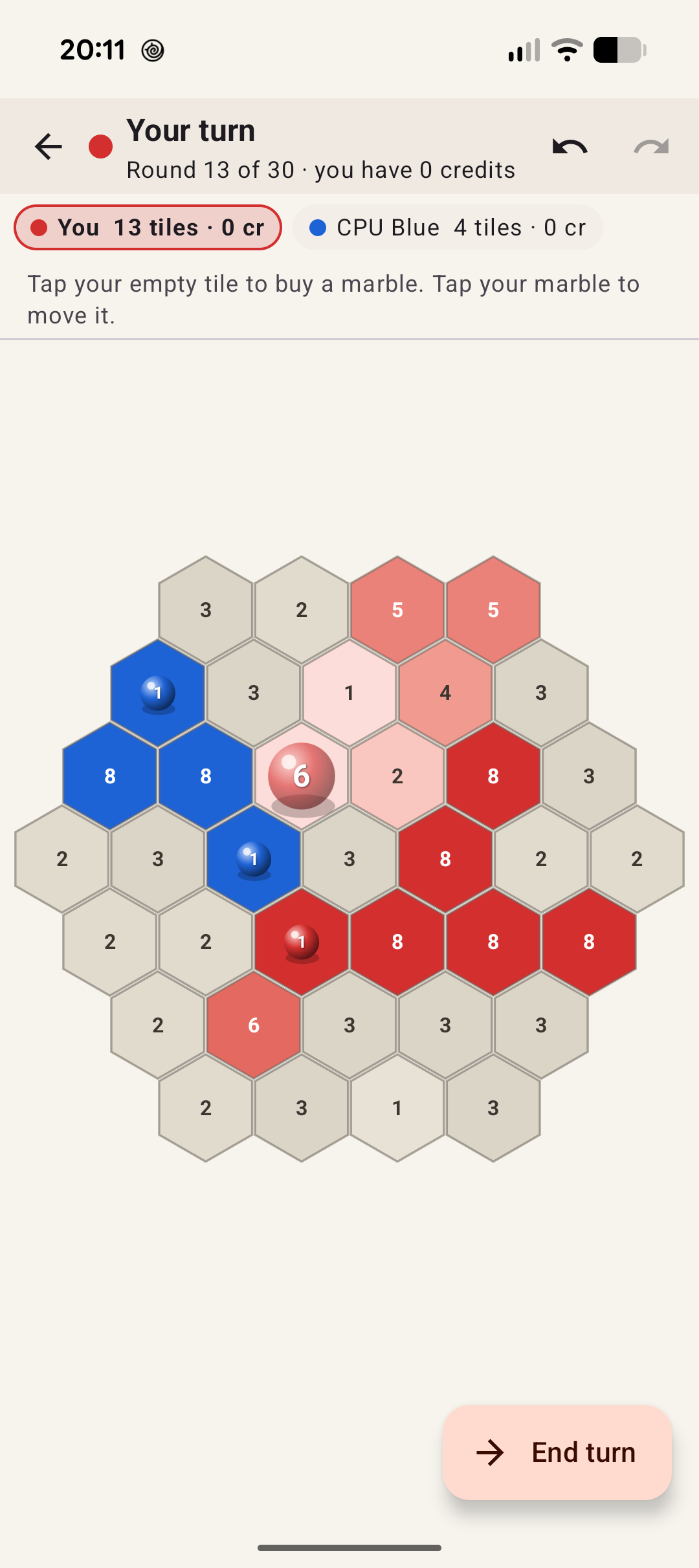
At the start of your turn every tile you own grows one level, and you receive credits: one for every tile you own. Spend them on marbles and on moving marbles. When you are done, tap End turn in the bottom corner.
3. Buy a marble
Tap one of your own empty tiles. A popup asks how big the marble should be: a marble of value 4 costs 4 credits. Bigger marbles are stronger and are drawn bigger.
4. Move
Tap your marble: the tiles it can reach light up. Tap one of them and the marble moves right away. Every step costs a credit. A marble walks freely over your own tiles; entering any other tile ends its move.
5. Undo if needed
The undo and redo buttons at the top take back your buys and moves of this turn. After End turn they can't be undone.
Rules at a glance
| Rule | What happens |
|---|---|
| Board | Hex tiles, so a marble can move in 6 directions. Each player starts with a home tile, marked with a ring. |
| Tile level | Owned tiles have level 1–8; the darker the color, the higher the level and the harder it is to take. Gray tiles are wild: a marble must beat their strength before it can claim them. |
| Buying | Value 1–8, cost = value in credits. |
| Moving | 1 credit per step, at most 8 steps per marble per turn. |
| Neutral tile | The marble loses 1 (plus the wild strength, if any) and the tile becomes yours at level 1. |
| Enemy tile | Marble and tile subtract from each other. Weaker marble: it is lost and the tile is weakened. Equal: both are gone and the tile becomes neutral. Stronger: the marble pays 1 more and the tile becomes yours. |
| Marble vs. marble | If an enemy marble stands on the tile, the two marbles fight first in the same way. The survivor then attacks the tile. |
| Merging | Move a marble onto one of your own marbles to merge them into one bigger marble. |
| Winning | Last player standing, 60 % of the board, or the best score after the round limit. |
Controls
Touch: pinch to zoom, drag to move the board, double tap to reset the view.
Permissions this app requests
- No internet, no mobile or Wi-Fi data. Android blocks all network access for the app.
- No background running. No services, jobs or alarms. Computer players pause as soon as the game leaves the screen and continue when you return.
Privacy & cost — in plain terms
- No usage data collected. No analytics or ads, and no Google Play services or Firebase.
- No personal data requested. There are no accounts, no sign-up, no login.
- No cookies. The app is not a web app and stores no cookies; this website sets none either.
- No internet connection. The game works fully offline.
- No payment, ever. The game is completely free, with no ads and no in-app purchases.
The app stores no files on your device, and backup and device transfer of app data are disabled. For the full statement, see Privacy & Disclaimer.
Provided as is
Hex Marbles is a hobby project, shared for learning and fun. It is provided "as is", without any warranty. Please read the full Privacy Statement & Disclaimer before use — by installing or using the app you accept those terms.
Images