 Android game
Tilt Pop
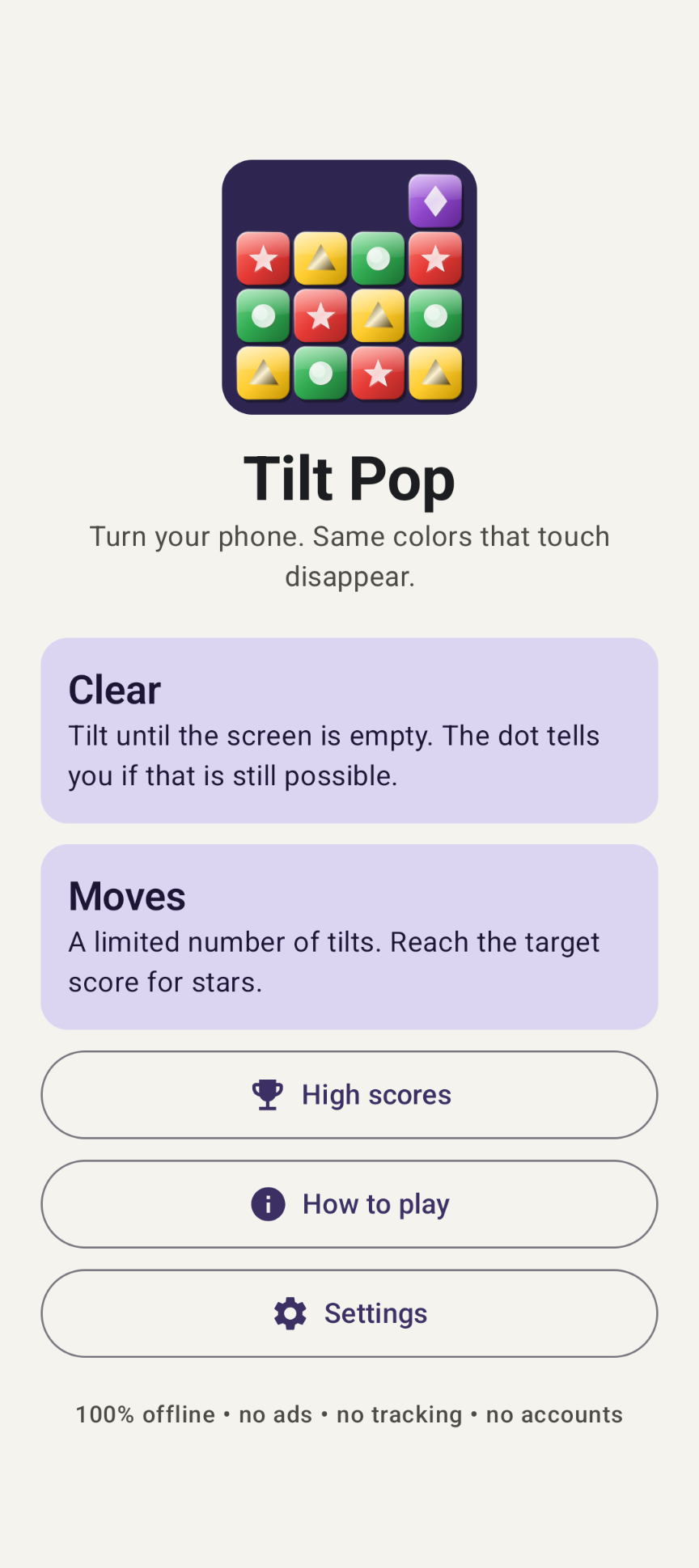
A fully offline tilting puzzle. Turn your phone and every block falls to the new floor; blocks of the same color that touch pop and set off chain reactions. Can you empty the whole screen?
The game
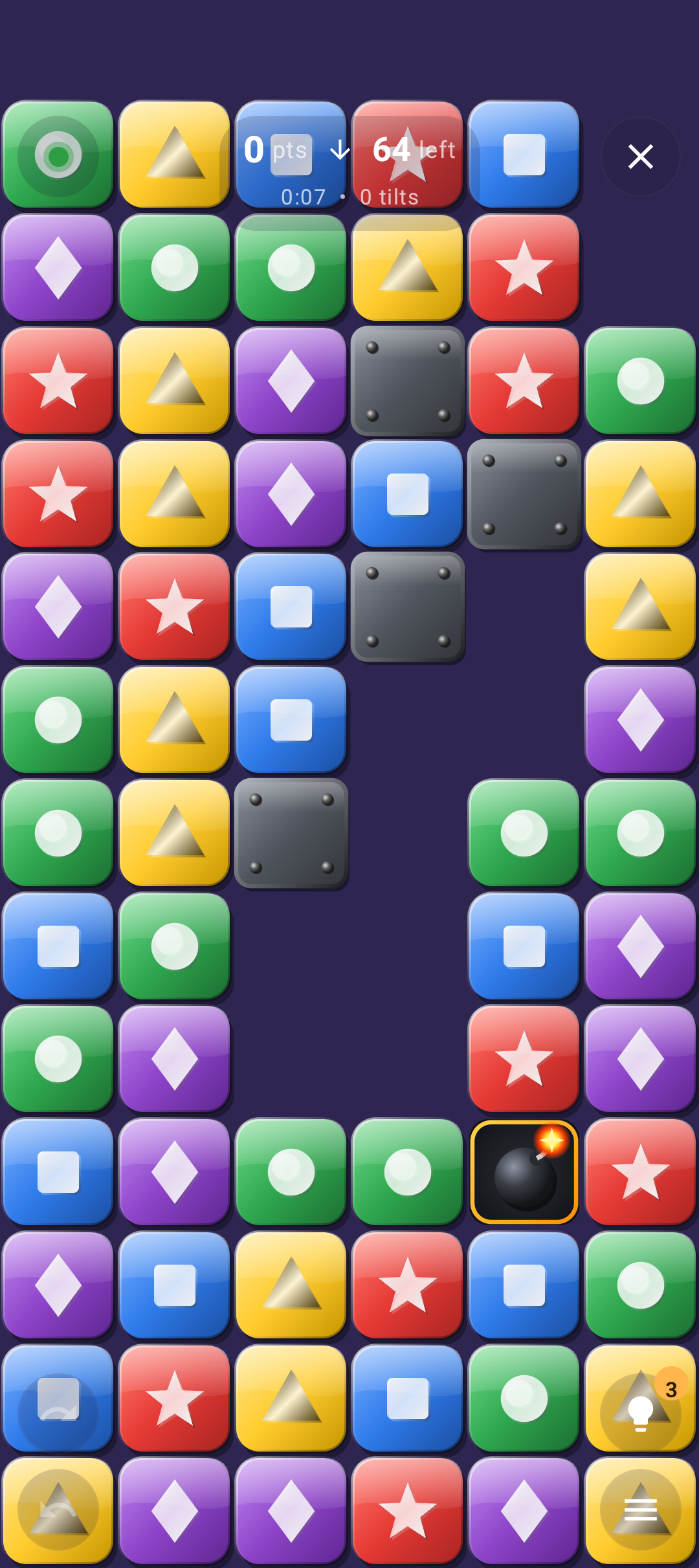
The whole screen is the playing field, and it starts completely full of colored blocks. Turn your phone and all blocks slide as far as they can towards the ground — down, left, up or right. Blocks of the same color that touch side by side or above each other form a group. When a group is big enough (2, 3 or 4 blocks, depending on the level) it pops, the rest falls again, and new groups pop too: a chain reaction.
The middle of a game is full of big chain reactions. The real puzzle is the endgame: will a few lonely blocks be left that can never form a group again?
Two modes
🧹 Clear
Nothing new comes in. Remove every block for ★★★; ★★ with at most 3% left, ★ with at most 10%. Every board is generated to be clearable — and a colored dot tells you whether that is still possible.
🎯 Moves
A limited number of tilts, for example 8. Score as many points as you can; big chain reactions pay most. The computer plays every board first, so every star is reachable: ★ at 70% of its score, ★★ at 85%, ★★★ at 100%.
Highlights
- Four levels per mode plus Custom: group size, number of colors, block size and number of tilts
- A green, orange or red status dot backed by a built-in solver
- Tilt, swipe or button controls — play in bed or on the train without turning the phone
- Unlimited undo; with tilt controls you undo, aim the phone and tap DROP
- Hints that show a big arrow in the direction to drop
- A symbol on every color (★ ● ■ ▲ ◆ ✚), so you never need to tell the colors apart
- Optional extras: stones that never move, bombs that clear a 3 × 3 area, and a bonus objective per board
- Smooth animations: sliding blocks, pops, floating points per wave and confetti
- Top 10 per mode and level; pause and auto-save when you switch apps; dark mode
Download
Why Tilt Pop isn't on the Google Play Store
Google currently enforces highly demanding and complex requirements to publish new apps (such as mandatory closed testing phases with at least 20 people for 14 days, rigorous identity verification, and heavy administrative overhead). Because we build apps purely for our own enjoyment and want to keep it simple, we prefer to share the app with you directly.
How to Install the App
- Directly on your phone: Open the downloaded file. If prompted, allow your browser or file manager to "Install unknown apps" from outside the Google Play Store. Google started blocking this way of installing APK files.
- Via your computer: Connect your phone to your computer with a USB cable and install the app using Android Debug Bridge (ADB).
By downloading you agree to the Privacy Statement & Disclaimer. Use is entirely at your own risk.
How to install an APK directly on your phone
- Tap the download button above and wait for tiltpop.apk to finish downloading.
- Open the file (via your notification shade or the Files app).
- Android will ask permission to install unknown apps. Tap Settings and enable "Allow from this source" for your browser or file manager.
- Go back and tap Install.
- Open Tilt Pop when installation completes.
Installing apps from outside the Play Store is a normal Android feature. You can turn the "unknown sources" permission back off afterwards if you prefer.
How to install an APK via your computer
The cleanest, safest, and most secure way to install an APK file—without modifying your phone's mobile security settings or enabling "Unknown Sources"—is via ADB (Android Debug Bridge) from your computer. This is an official command-line utility supplied by Google for Android developers.
Step 1: Download ADB on your computer (The fastest way)
You do not need to install the massive Android Studio suite. Google provides a lightweight, standalone package called Platform-Tools.
- Windows: Download the official Android SDK Platform-Tools for Windows.
- Mac / Linux: Download the zip package above or install it instantly via your terminal line:
- Mac (via Homebrew): Run
brew install android-platform-tools - Linux (Ubuntu/Debian): Run
sudo apt install adb
- Mac (via Homebrew): Run
Note: If you downloaded the ZIP file (Windows/Mac), extract it into an easy-to-reach directory, such as C:\platform-tools or your Desktop.
Step 2: Prepare your Android phone
- Open the Settings app on your phone.
- Go to About phone (or System > About).
- Tap Build number 7 times rapidly until a notification pop-up says: "You are now a developer!".
- Return to the main Settings menu, open the new Developer options panel, and turn on USB debugging.
Step 3: Install the APK file
- Connect your phone to your computer using a USB cable.
- Look at your phone's screen: a prompt will ask "Allow USB debugging?". Check the option for “Always allow from this computer” and tap Allow.
- Move your downloaded APK file directly into the folder where you extracted the platform-tools files.
- Open Command Prompt (CMD) on Windows or Terminal on Mac/Linux, and change directories to that folder (e.g., on Windows, type:
cd C:\platform-tools). - Run this command to verify your computer properly detects your device:
(If you see a serial number followed by the word 'device', you are connected successfully!)adb devices - Run the installation script command:
adb install tiltpop.apk
When the terminal returns a Success message, the app is fully installed on your device and ready to launch!
How to play
1. Pick a mode and level
On the main menu, choose Clear or Moves, then a level. Continue picks up a saved game, including its undo history. At the start a few planted groups pop by themselves to make some room.
2. Choose your controls
| Controls | How |
|---|---|
| Tilt (default) | Turn the phone. Only a clear turn counts, so holding the phone flat does nothing. Buttons, text and symbols turn along so they stay upright. |
| Swipe | Swipe over the board in the direction the blocks should fall. |
| Buttons | Four floating arrow buttons at the bottom. The current direction is disabled; a hint lights up a button. |
Change them under Settings › Controls. A turn during a chain reaction is remembered and carried out afterwards.
3. Watch the status dot
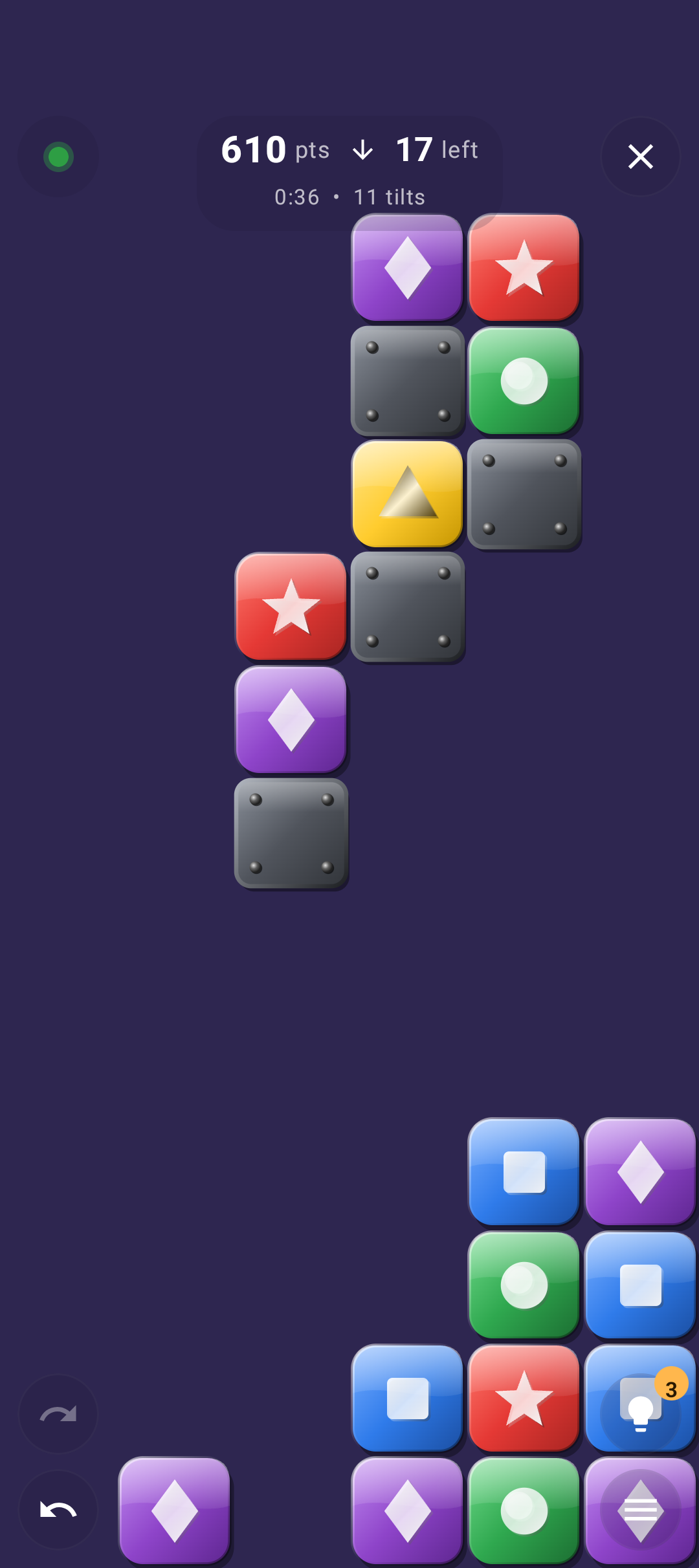
The dot at the top left tells you how you are doing. Tap it for details, for example "You need 340 more points in 4 tilts. The computer found a way to get 520 from here."
| Dot | Clear mode | Moves mode |
|---|---|---|
| 🟢 Green | The screen can still be emptied completely from here. | The target is still reachable: the computer found a way. |
| 🟠 Orange | No certainty within 3 seconds (rare on the fixed levels). | Not found, but not proven impossible either. |
| 🔴 Red | Proven impossible. Undo, or tap the dot → Back to green. | Proven out of reach. |
In Clear mode, a tilt that turns the dot from green to red counts as a mistake (−100 points).
4. Undo, hints and pause
↶ Undo is unlimited (with swipe and buttons there is also ↷ Redo). With tilt controls, Undo puts the board back one tilt and waits: turn the phone the way you want — the arrow in the orange DROP button always points to the real ground — and tap DROP. 💡 Hint shows a big pulsing arrow. ☰ pauses the game and hides the board.
Difficulty levels & scoring
| Level | Clear | Moves | Hints |
|---|---|---|---|
| Easy | Groups of 2, 3 colors, large blocks | Groups of 3, 4 colors, large blocks, 8 tilts | 5 |
| Medium | Groups of 3, 4 colors, large blocks | Groups of 4, 4 colors, medium blocks, 8 tilts | 4 |
| Hard | Groups of 3, 5 colors, large blocks | Groups of 3, 5 colors, medium blocks, 10 tilts | 3 |
| Expert | Groups of 3, 5 colors, medium blocks | Groups of 4, 5 colors, small blocks, 10 tilts | 2 |
| Custom | Choose everything yourself, with a preview of the board size and a warning for heavy settings | 3 | |
| What | Points |
|---|---|
| Every block in a group | 10 |
| Every block above the minimum group size | +20 extra |
| Chain reaction | 2nd wave ×2, 3rd wave ×3, … |
| Screen empty (both modes) | +1000 |
| Clear: every tilt fewer than the computer | +50 |
| Moves: every unused tilt when the screen is empty | +100 |
| Bonus objective reached | +500 |
| Hint | −100 |
| Clear: mistake (green → red) | −100 (undo itself is free) |
| Moves: undo | −50 |
Example: a group of 5 with a minimum of 3, popped in the second wave, scores (5 × 10 + 2 × 20) × 2 = 180.
Extras
Switch them on under Settings › Extras; they work with every level and with Custom, and each combination has its own high score lists.
- Stones never move and never pop. Blocks slide up against them, so every direction plays out differently.
- Bombs appear where a big group popped. On your next tilt the bomb slides along and explodes, clearing the 3 × 3 area around it.
- Objective per board, such as "Make a chain reaction of ×3" or "Set off 2 bombs". Every objective is one the computer reached on that board.
High scores
Menu → High scores keeps a top 10 for each mode and level. Clear: most points, fastest and fewest tilts (empty screens only). Moves: most points, longest chain and fastest to target. Custom games have their own list for each combination of settings.
Tips
- Think about the last blocks first. A color with only one or two blocks left can get stuck forever — bring them together before the board empties.
- Chains are worth more than pops. In Moves, a tilt that sets off a second and third wave beats two separate pops.
- Use the dot. In Clear, a red dot after a tilt means: undo now, while it's free.
Permissions this app requests
Privacy & cost — in plain terms
- No usage data collected. No analytics, crash reporting or advertising SDKs, and no Google Play services or Firebase.
- No personal data requested. There are no accounts, no sign-up, no login.
- No cookies. The app is not a web app and stores no cookies; this website sets none either.
- No internet connection. The game works fully offline.
- No payment, ever. The game is completely free, with no ads and no in-app purchases.
Your settings, saved game and high scores are stored only in a private file on your device. Cloud backup and device transfer are disabled. For the full statement, see Privacy & Disclaimer.
Provided as is
Tilt Pop is a hobby project, shared for learning and fun. It is provided "as is", without any warranty. Please read the full Privacy Statement & Disclaimer before use — by installing or using the app you accept those terms.
Images