 Android game
Sudoku
The classic number puzzle, fully offline and private. Every puzzle has exactly one solution.
The game
Sudoku is the classic number puzzle: fill the 9×9 grid so that every row, every column and every 3×3 block contains the digits 1 to 9 exactly once. Every puzzle is generated on your phone and has exactly one solution.
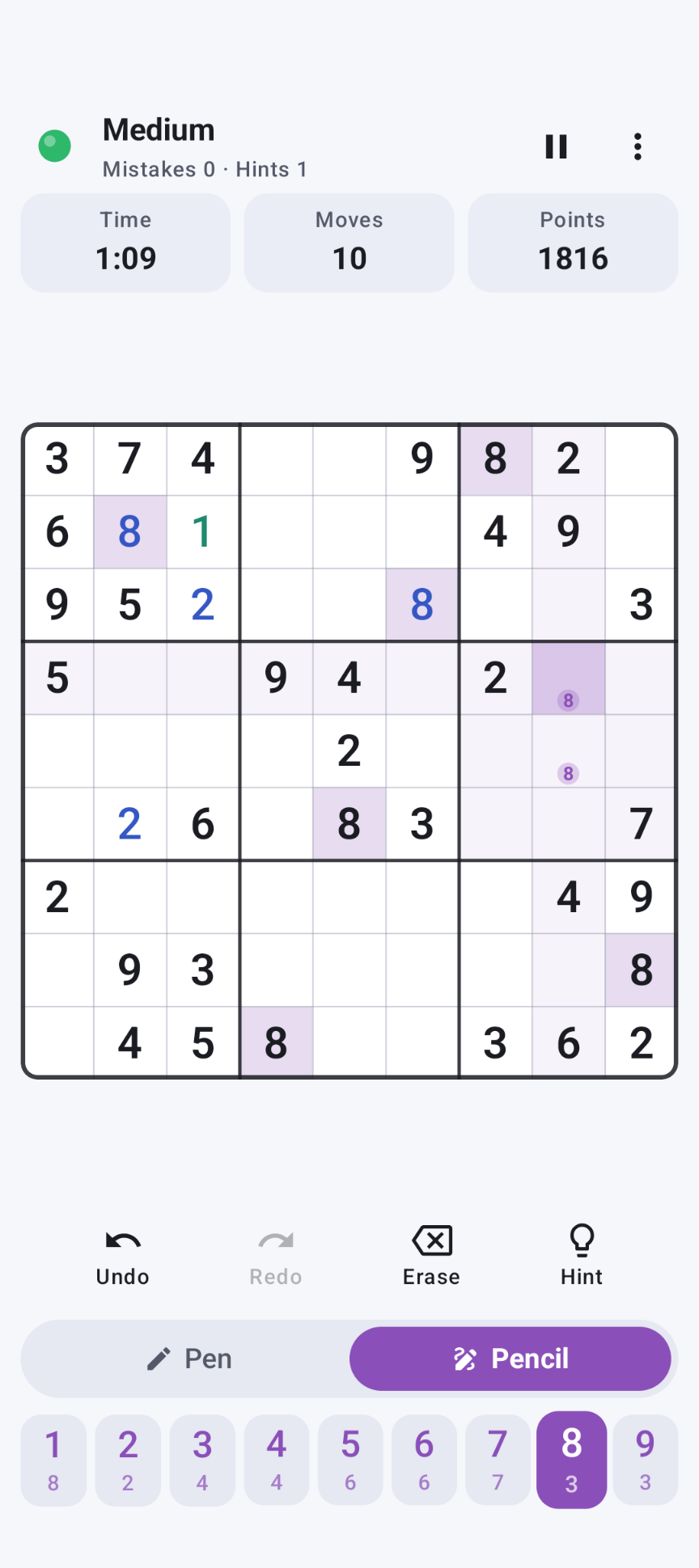
A large Pen / Pencil switch makes notes quick and easy, and a status dot tells you whether every digit you have entered is still correct.
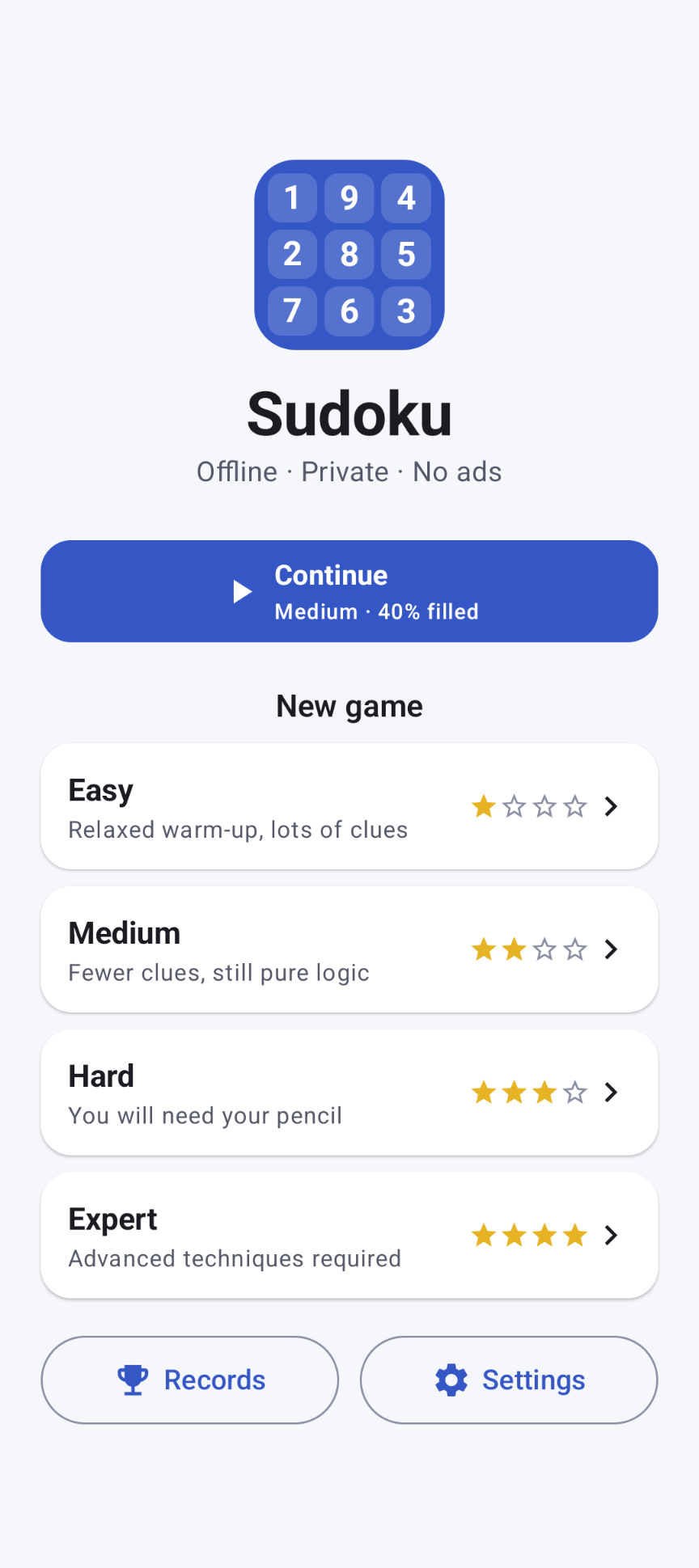
Four difficulty levels
| Level | Given digits | What you need |
|---|---|---|
| Easy | about 40 | A relaxed warm-up: always solvable with singles only |
| Medium | about 32 | Fewer clues, still pure logic with singles |
| Hard | about 27 | You will need your pencil |
| Expert | about 23–25 | Advanced techniques required: singles alone are not enough |
Highlights
- Digit first input: tap a digit once and place it in as many cells as you like (or switch to Cell first)
- Pencil marks for all 9 candidates, each in a fixed spot; a pen digit removes the pencil marks in its cell (optionally also in its row, column and block)
- Status dot: 🟢 all pen digits are correct, 🔴 there is a wrong digit somewhere
- Undo / redo (up to 1,000 steps), including pencil marks and hints
- Hints reveal the correct digit (and replace a wrong digit first)
- Fill all candidates, Clear all pencil marks and Restart puzzle in the menu
- Highlights for the selected cell, its row/column/block, equal digits (also in pencil) and conflicts — each can be turned off
- Top 10 for time, moves and points, per difficulty or overall
- Automatic saving after every move; pause hides the board and stops the clock
- Light and dark theme, landscape layout, vibration and keep-screen-on options
Download
Why Sudoku isn't on the Google Play Store
Google currently enforces highly demanding and complex requirements to publish new apps (such as mandatory closed testing phases with at least 20 people for 14 days, rigorous identity verification, and heavy administrative overhead). Because we build apps purely for our own enjoyment and want to keep it simple, we prefer to share the app with you directly.
How to Install the App
- Directly on your phone: Open the downloaded file. If prompted, allow your browser or file manager to "Install unknown apps" from outside the Google Play Store. Google started blocking this way of installing APK files.
- Via your computer: Connect your phone to your computer with a USB cable and install the app using Android Debug Bridge (ADB).
By downloading you agree to the Privacy Statement & Disclaimer. Use is entirely at your own risk.
How to install an APK directly on your phone
- Tap the download button above and wait for sudoku.apk to finish downloading.
- Open the file (via your notification shade or the Files app).
- Android will ask permission to install unknown apps. Tap Settings and enable "Allow from this source" for your browser or file manager.
- Go back and tap Install.
- Open Sudoku when installation completes.
Installing apps from outside the Play Store is a normal Android feature. You can turn the "unknown sources" permission back off afterwards if you prefer.
How to install an APK via your computer
The cleanest, safest, and most secure way to install an APK file—without modifying your phone's mobile security settings or enabling "Unknown Sources"—is via ADB (Android Debug Bridge) from your computer. This is an official command-line utility supplied by Google for Android developers.
Step 1: Download ADB on your computer (The fastest way)
You do not need to install the massive Android Studio suite. Google provides a lightweight, standalone package called Platform-Tools.
- Windows: Download the official Android SDK Platform-Tools for Windows.
- Mac / Linux: Download the zip package above or install it instantly via your terminal line:
- Mac (via Homebrew): Run
brew install android-platform-tools - Linux (Ubuntu/Debian): Run
sudo apt install adb
- Mac (via Homebrew): Run
Note: If you downloaded the ZIP file (Windows/Mac), extract it into an easy-to-reach directory, such as C:\platform-tools or your Desktop.
Step 2: Prepare your Android phone
- Open the Settings app on your phone.
- Go to About phone (or System > About).
- Tap Build number 7 times rapidly until a notification pop-up says: "You are now a developer!".
- Return to the main Settings menu, open the new Developer options panel, and turn on USB debugging.
Step 3: Install the APK file
- Connect your phone to your computer using a USB cable.
- Look at your phone's screen: a prompt will ask "Allow USB debugging?". Check the option for “Always allow from this computer” and tap Allow.
- Move your downloaded APK file directly into the folder where you extracted the platform-tools files.
- Open Command Prompt (CMD) on Windows or Terminal on Mac/Linux, and change directories to that folder (e.g., on Windows, type:
cd C:\platform-tools). - Run this command to verify your computer properly detects your device:
(If you see a serial number followed by the word 'device', you are connected successfully!)adb devices - Run the installation script command:
adb install sudoku.apk
When the terminal returns a Success message, the app is fully installed on your device and ready to launch!
How to play
1. Start a game
Pick a difficulty on the main screen, or tap Continue to go on where you left off.
2. Place digits (Digit first)
Tap a digit at the bottom: it stays selected and every cell with that digit lights up. Now tap cells to place it (pen) or to add or remove it as a pencil mark (pencil). Tap the same cell again to remove it. The small number under each digit shows how many are still to be placed.
3. Use the shortcuts
Tap a given digit on the board to make it your active digit. Long-press a cell to use the other mode (pen ↔ pencil) once. Erase works as a tool too: tap cells to clear them. Prefer to pick the cell first? Choose Cell first in Settings.
4. Watch the dot
🟢 Green: all your pen digits are correct. 🔴 Red (pulsing): at least one pen digit is wrong — use Undo, look for the mistake, or use a hint, which replaces the wrong digit first. Pencil marks don't count.
Points, moves & tips
| Difficulty | Starting points |
|---|---|
| Easy | 1,000 |
| Medium | 2,000 |
| Hard | 3,500 |
| Expert | 5,000 |
From that, the app subtracts 1 point per 2 seconds, 1 point per move above the number of empty cells at the start, 50 points per wrong pen digit (even if you fix it later) and 150 points per hint. The score never drops below 10 % of the starting points.
Moves: every action that changes the board counts as one move (pen digit, pencil mark, erase, hint, Fill all candidates, Clear all pencil marks and Restart). Undo and redo don't count.
Tips
- Scan by digit: pick a digit and look in every 3×3 block for where it can still go. With Digit first, all copies light up.
- Naked single: a cell where only one digit fits — fill it in.
- Hidden single: a digit that fits in only one place in a row, column or block.
- Pencil first on hard puzzles: Fill all candidates does it in one go.
- Naked pair, pointing pair and X-Wing help you remove candidates on Hard and Expert.
- For high scores, avoid hints and mistakes: accuracy counts for more than speed.
Permissions this app requests
- No internet, no mobile or Wi-Fi data. Android blocks all network access for the app.
- No background running. No services, jobs or alarms. The clock pauses automatically when the app is in the background.
Privacy & cost — in plain terms
- No usage data collected. No analytics, crash reporting or advertising SDKs, and no Google Play services or Firebase.
- No personal data requested. There are no accounts, no sign-up, no login.
- No cookies. The app is not a web app and stores no cookies; this website sets none either.
- No internet connection. The game works fully offline.
- No payment, ever. The game is completely free, with no ads and no in-app purchases.
Your games, records and settings are stored only in a private file on your device. Cloud backup and device transfer are disabled. For the full statement, see Privacy & Disclaimer.
Provided as is
Sudoku is a hobby project, shared for learning and fun. It is provided "as is", without any warranty. Please read the full Privacy Statement & Disclaimer before use — by installing or using the app you accept those terms.
Images